Challenge Description
We received this memory dump from our client recently. Someone accessed his system when he was not there and he found some rather strange files being accessed. Find those files and they might be useful.
“The names were not readable. They were composed of alphabets and numbers but I wasn’t able to make out what exactly it was.”
Also, he noticed his most loved application that he always used crashed every time he ran it. Was it a virus?
Note-1: This challenge is composed of 3 flags.
Note-2: There was a small mistake when making this challenge. If you find any string which has L4B_3_D0n3!! in it, please change it to L4B_5_D0n3!! and then proceed.
Note-3: You’ll get the stage 2 flag only when you have the stage 1 flag.
Solution
Stage 1: Encrypted File Names
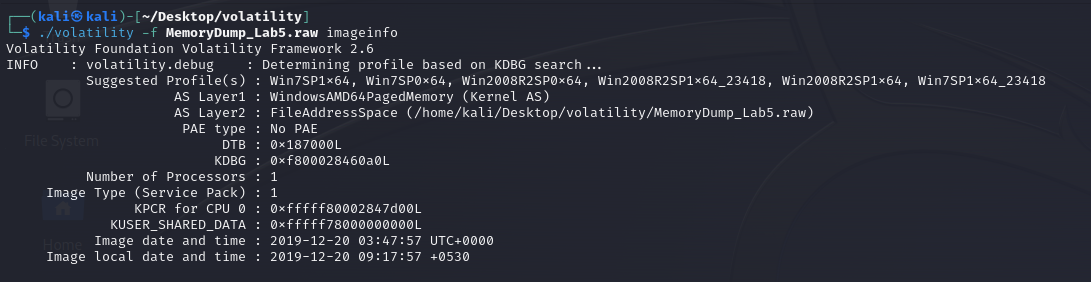
First step let’s get the image info:
In second step I use pslist command for listing processes and I found these suspicious processes for now:
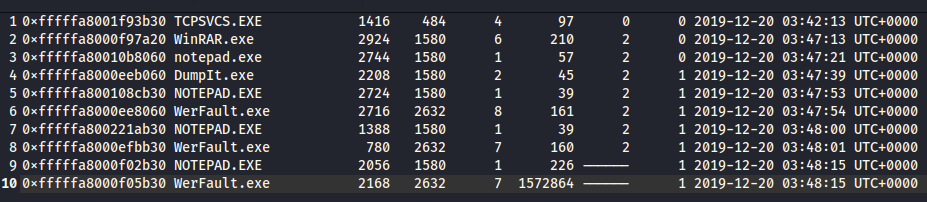
cmdscan and consoles commands didn’t show anything. Then I used pstree command and I can see that some of our suspicious processes TCPSVCS.exe and WerFault.exe were triggered by services.exe.
With cmdline command I found a RAR file, I am going to try to dump this file.
Here I found and dumped the file.
Okey this RAR archive is password protected. I will use envars command.
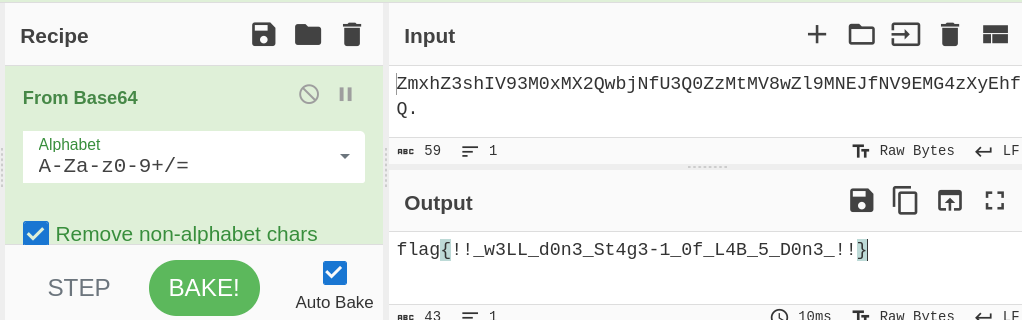
envars command and some other commands don’t help with the password but I found a file with iehistory command. The name of this file looks like an encrypted string - let’s decode it:

And here! There is a flag: flag{!!_w3LL_d0n3_St4g3-1_0f_L4B_5_D0n3_!!}
The description says that there are 3 flags in this lab and we cannot pass to the 2nd stage without the first flag. If we are lucky this is the first flag:
Stage 2: The RAR Archive
Yes! The first flag is the password for the RAR archive:
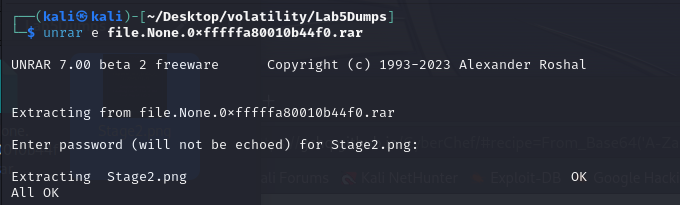
There was only an image file in the RAR archive and I find the second flag but description says we have one more flag:

Stage 3: Reverse Engineering
For the last stage I am going to investigate another suspicious process - NOTEPAD.exe.
I found and dumped the suspicious exe and here I dumped 3 files.
file.dat was the file we were looking for. This was actually an .exe file. So I tried to analyze it. I used different PE analysis tools, string scanning tools and Detect-It-Easy but I couldn’t find anything. After these attempts I decided to start reverse engineering. After spending some time in Ghidra and IDA Free I found the flag with IDA Graph View.
The last flag was: bios{M3m_l4B5_OVeR_!}
Key Takeaways
- IE history (
iehistoryplugin) can reveal interesting file access patterns - Encrypted/encoded file names are worth decoding - they might contain flags
- Flags from earlier stages can serve as passwords for later stages
- When standard forensics tools fail, reverse engineering (IDA/Ghidra) can reveal hidden strings in executables
- Dumped process memory can contain executable files disguised with different extensions