Challenge Description
We received this memory dump from the Intelligence Bureau Department. They say this evidence might hold some secrets of the underworld gangster David Benjamin. This memory dump was taken from one of his workers whom the FBI busted earlier this week. Your job is to go through the memory dump and see if you can figure something out. FBI also says that David communicated with his workers via the internet so that might be a good place to start.
Note: This challenge is composed of 1 flag split into 2 parts.
The flag format for this lab is: inctf{s0me_l33t_Str1ng}
Solution
The description made me very excited. So let’s start!
Browser Investigation
First step let’s get the image info.
Then I listed the processes with pslist command. chrome.exe, firefox.exe and WinRAR.exe are the suspicious ones that we will focus on for now. The description says that the suspect communicates over the internet, so I will analyze more about browser history and network traffic.
But before things about internet - let’s check the RAR files to see what suspect did on WinRAR:
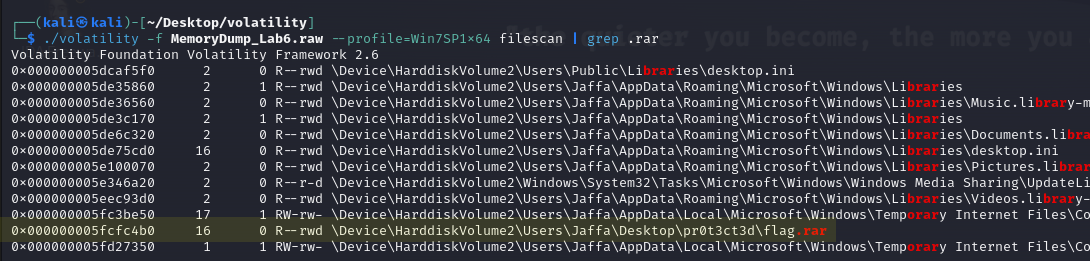
I dumped it and tried to unrar but it was password protected and there was no clue so we will go back to it later. In the description it says “This challenge is composed of 1 flag split into 2 parts.” So I believe that the password of this RAR archive is the first part of the flag.
Chrome and Firefox History
So let’s look what the suspect did on the internet. We can scan network and also dump browser histories.
Okey this is the Google Chrome history but where is Firefox history?
After some searching I found an article about where Firefox history is stored.
Now let’s dump and analyze these browser histories.
You can open browser histories with DB Browser. First I chose Chrome history and there was literally nothing… Just some searches about cars and stuff and download history of WinRAR (from official website).
So let’s check the Firefox history, and there are encoded texts and different mails about a Mega Drive Key.
Okey.. I couldn’t find anything about these encoded texts. I went back to look at Chrome history and I realized I had missed something.
This is the note in the URL:
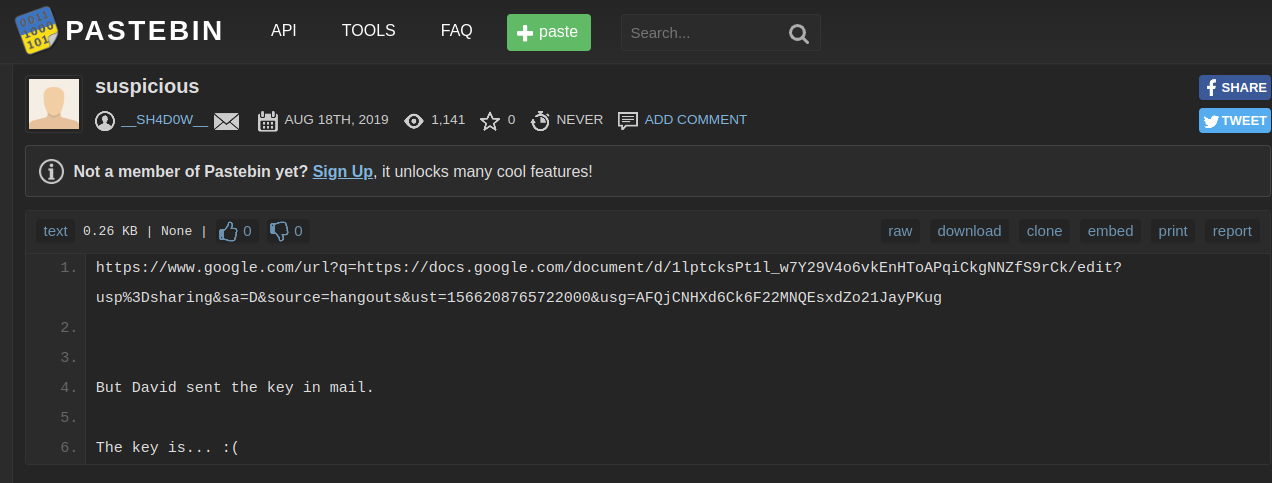
And this is the document which URL is given in the note. The text in this document is only Lorem Ipsum (Lorem Ipsum is a meaningless block of text used as placeholder in design templates).
But there is a Mega link hidden in this Lorem Ipsum. Now we have a key and a Mega link.
When we go to this link Mega asks us for a key. The text that I thought was encrypted is actually the key to this file. And there is just one file in the link: “flag.png”. But as you can see we can’t open this file as an image.
The RAR Archive
Now let’s go back to the password protected RAR archive. I tried to scan files about “password” but there was no result so I tried to use envars command and there it is.. I can’t believe how easy it is:
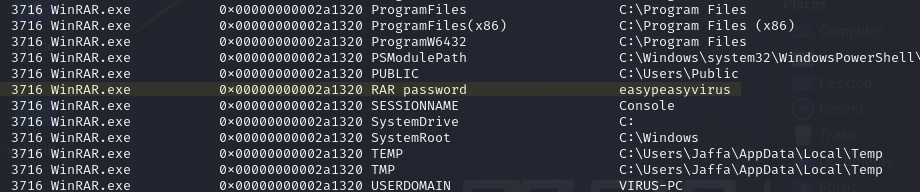
This is the file in the password protected RAR archive. This is the second part of our flag:

Fixing the Corrupted PNG
Yes.. we still have a password protected image file and there is no clue. Also there was another big problem. Steghide throws an error about file format:

When I use exiftool I can see the problem but I couldn’t understand what exactly is the issue:
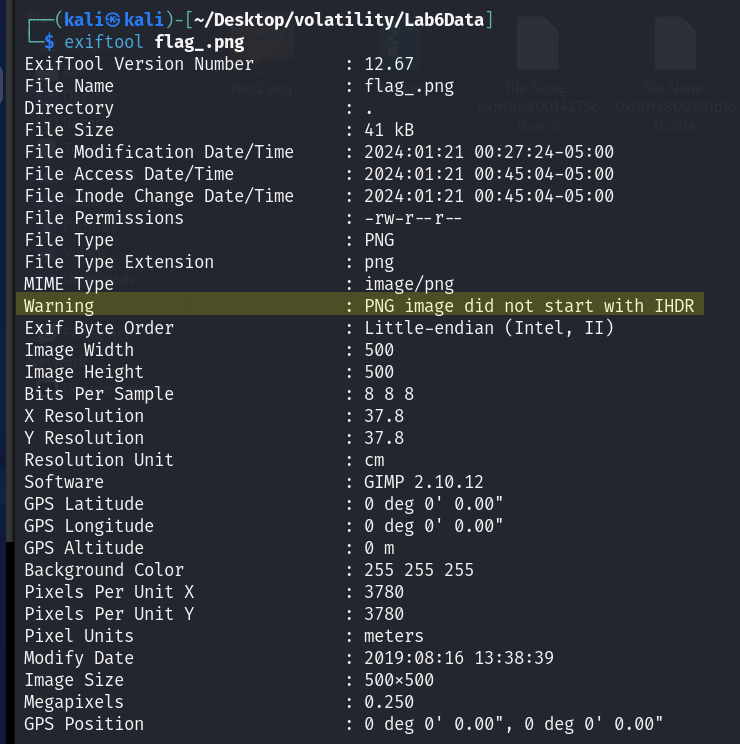
After some googling (like 3 seconds) I understood the problem and I know how to solve it. I am going to change hex data:
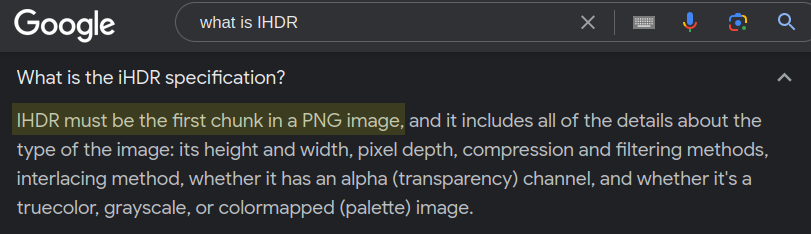
Every file format has a hexadecimal text palette called “magic number” in IT. If you change those hexadecimal file signs you will change the format of file. This method is also used by attackers for unauthorized file uploads.
So when we go back to our file there is just a small problem, small enough to be annoying. As you can see there is written “iHDR” - it should be “IHDR”:

There was written 69 (i in ASCII table) - I changed it to 49 (I in ASCII table).
And here it is, the file actually wasn’t password protected - it was just broken:
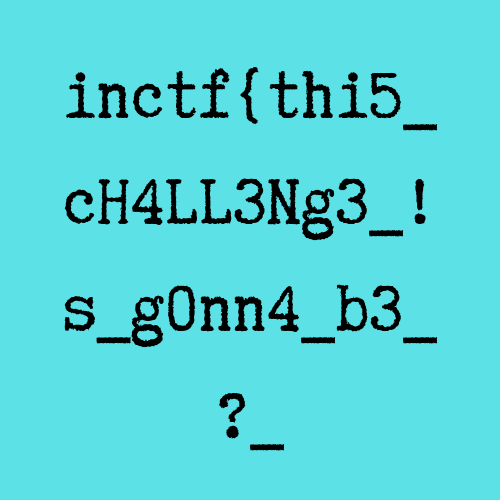
Final flag: inctf{thi5_cH4LL3Ng3_!s_g0nn4_b3_?_aN_Am4zINg_!_i_gU3Ss???}
Key Takeaways
- Always analyze ALL browser histories (Chrome, Firefox, etc.) - don’t skip any
- Browser history databases can be opened with SQLite/DB Browser
- Lorem Ipsum text can hide embedded links
- PNG files have magic bytes with specific header requirements (
IHDRnotiHDR) - A single byte change in hex can corrupt or fix an entire file
- Environment variables remain a goldmine for hidden information